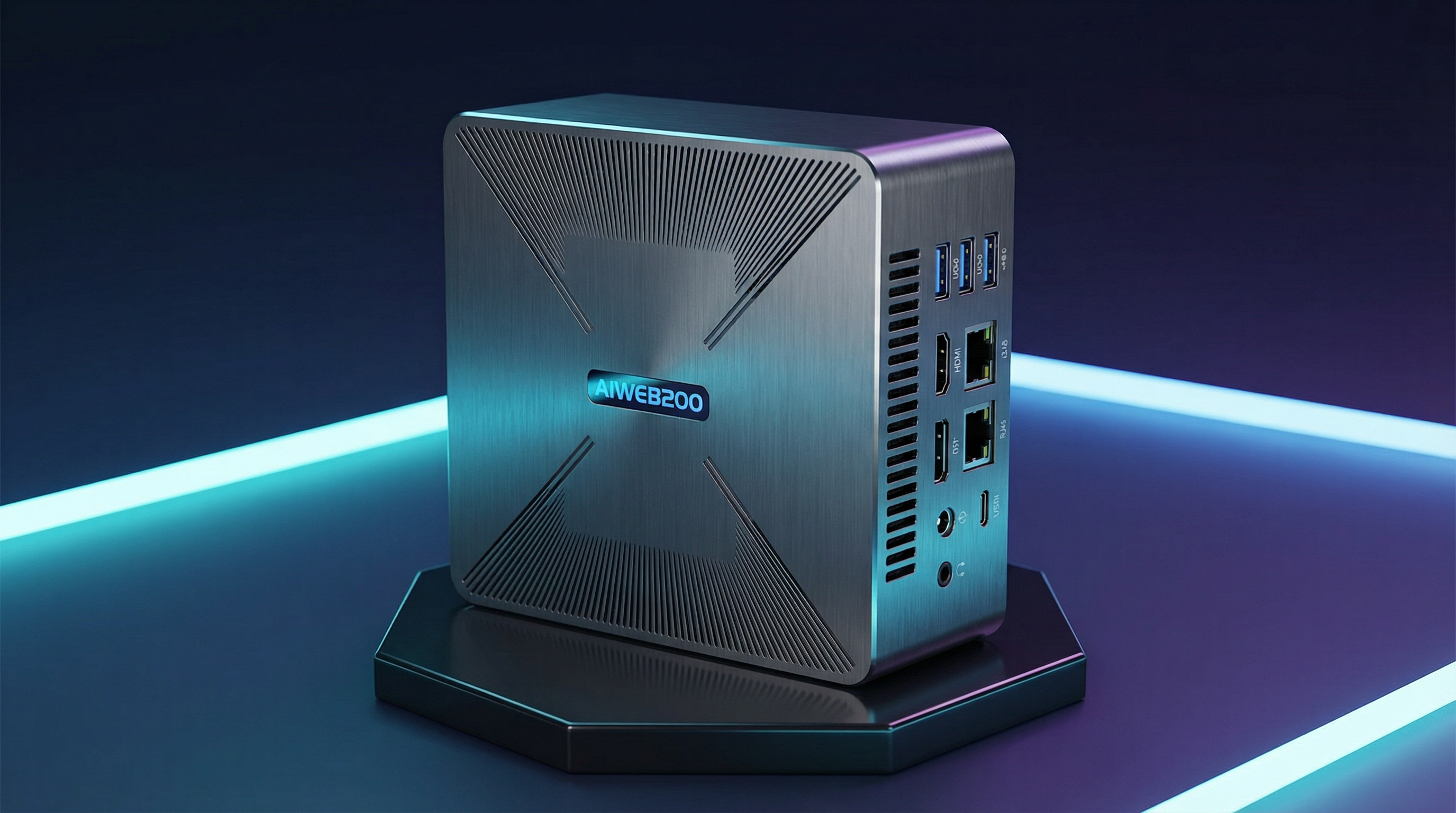
The rise of open-source large language models (LLMs) like Llama 3, Mistral, Qwen, and DeepSeek has made local AI deployment more accessible than ever. The NexTune CryGen200 AI Mini PC — with up to 370 TOPS of computing power, a CUDA-compatible ecosystem, and 32GB LPDDR5 RAM — is purpose-built for exactly this use case.
This guide walks you through deploying your first local LLM on the AIWEB200, from initial setup to running inference queries via a REST API.
Why Run LLMs Locally?
Cloud-based LLM APIs offer convenience, but they come with significant trade-offs: recurring costs, data privacy concerns, internet dependency, and latency. Running models locally on the AIWEB200 gives you:
- Complete data privacy — your prompts and outputs never leave your device
- Zero per-token cost — run unlimited queries after the one-time hardware investment
- Low latency — no round-trip to remote servers
- Offline capability — works without internet connectivity
- Full control — fine-tune, customize, and integrate as needed
AIWEB200 Hardware Overview for LLM Workloads
Before diving into setup, it helps to understand which hardware components handle LLM inference on the AIWEB200:
- CPU (8-core, 2.65 GHz): Handles tokenization, pre/post-processing, and smaller model inference
- GPU: Accelerates matrix operations for transformer-based models
- NPU (Programmable Neural Network Processor): Offloads repetitive inference patterns for YOLO, ResNet, and quantized LLMs
- 32GB LPDDR5 RAM at 100+ GB/s: Fits 7B–13B parameter models comfortably in memory
- M.2 Computing Power Cards: Optional expansion up to 320 additional TOPS for larger models
Step 1: Initial System Setup
The AIWEB200 ships with Ubuntu Linux pre-installed. After first boot, update the system and install essential dependencies:
sudo apt update && sudo apt upgrade -y
sudo apt install -y python3 python3-pip git curl wget build-essential
Step 2: Install Ollama for Easy LLM Management
Ollama is the easiest way to download, manage, and run open-source LLMs on Ubuntu. It handles model quantization, memory management, and exposes a local REST API automatically.
curl -fsSL https://ollama.com/install.sh | shVerify the installation:
ollama --versionStep 3: Pull and Run Your First Model
With 32GB of LPDDR5 RAM, the AIWEB200 can comfortably run 7B and 13B parameter models in 4-bit quantization. Start with Llama 3.2:
# Pull Llama 3.2 (3B – fast, great for testing)
ollama pull llama3.2

# Or pull Mistral 7B (higher quality responses)
ollama pull mistral

# Run interactive chat
ollama run llama3.2
Recommended Models for the AIWEB200
- Llama 3.2 3B — Fast responses, ideal for real-time applications
- Mistral 7B — Excellent quality/performance balance
- Qwen2.5 7B — Strong multilingual and coding capabilities
- DeepSeek-R1 7B — Optimized reasoning and chain-of-thought
- Llama 3.1 8B — Meta's latest, strong general performance
Step 4: Expose a Local REST API
Ollama automatically runs a REST API on localhost:11434. You can query it from any
application on the same network:
curl http://localhost:11434/api/generate \
  -d '{
    "model": "mistral",
    "prompt": "Explain edge computing in one paragraph.",
    "stream": false
  }'
Step 5: Deploy a Web UI (Optional)
For a ChatGPT-like interface, install Open WebUI via Docker:
docker run -d -p 3000:8080 \
  --add-host=host.docker.internal:host-gateway \
  -v open-webui:/app/backend/data \
  --name open-webui \
  ghcr.io/open-webui/open-webui:main
Access the interface at http://localhost:3000 from any browser on your local network.
Performance Tips for the AIWEB200
- Use 4-bit quantized models (Q4_K_M format) for the best speed/quality trade-off
- Set
OLLAMA_NUM_PARALLEL=2to handle concurrent requests efficiently - Store models on the 1TB NVMe SSD for fast load times
- For larger models (30B+), add an M.2 computing power expansion card for up to 370 TOPS total
- Enable Wi-Fi 6E for fast model downloads and network API access
Conclusion
The NexTune CryGen200 AI Mini PC makes local LLM deployment genuinely practical for individuals, businesses, and research teams. With its combination of high-bandwidth memory, programmable NPU, CUDA-compatible ecosystem, and compact form factor, it represents one of the most capable edge AI platforms available today.
Whether you're building a private AI assistant, an intelligent document processor, or a real-time edge inference pipeline, the AIWEB200 provides the compute foundation to make it happen — entirely on your own hardware.
Ready to Get Your AIWEB200?
Contact our sales team for pricing, bulk orders, and technical consultation.
Request a Quote